SiloLink Viewer: How 1 Million BIM Objects Render Smoothly in the Browser
How the SiloLink viewer keeps 1-million-object federated BIM models interactive in a browser tab: mesh batching, instancing, worker-backed edges, and the tradeoffs behind each choice.
Large federated BIM models can put around 1 million elements and small mesh fragments into the same browser frame budget. Drop that kind of scene into a plain Three.js renderer and the first orbit is already expensive; keep dragging and interaction quickly stops feeling like direct manipulation.
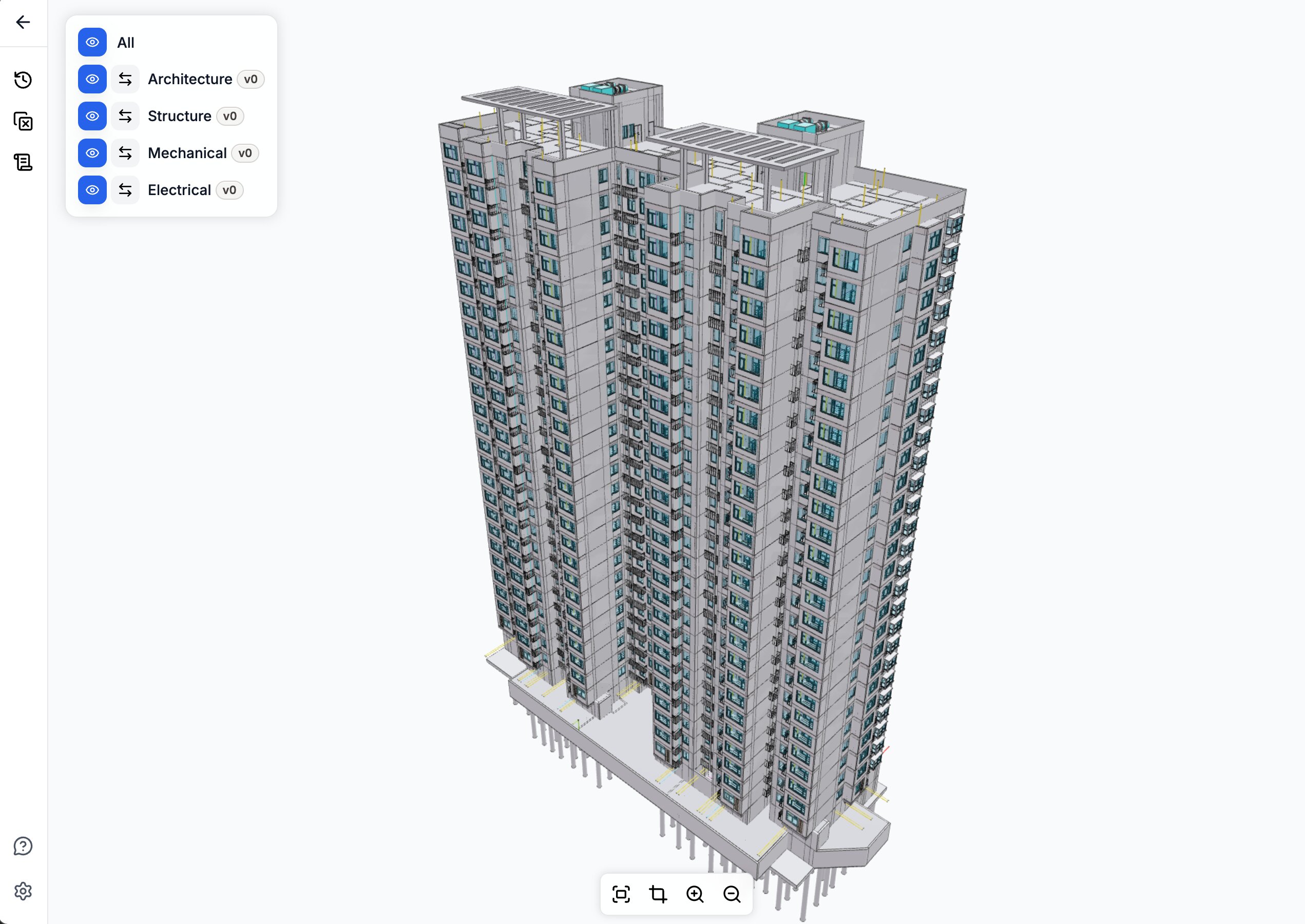
We took a different route. The SiloLink viewer renders the same large federated model directly from per-discipline GLBs, in a single tab, with selection, clipping, change highlights, and clash visualization on top. This post is about the parts that make that work: the batching policy, the instancing rules, the worker-backed edges, the render loop discipline, and the tradeoffs behind each choice.
The numbers in this post come from real SiloLink project scenes and viewer profiling, so they should be read as scale markers rather than universal performance claims. The exact frame rate moves with model structure, hardware, browser, and export settings. The useful part is the pattern: where the browser spends time, which design choices change that, and which safeguards keep the viewer reliable.
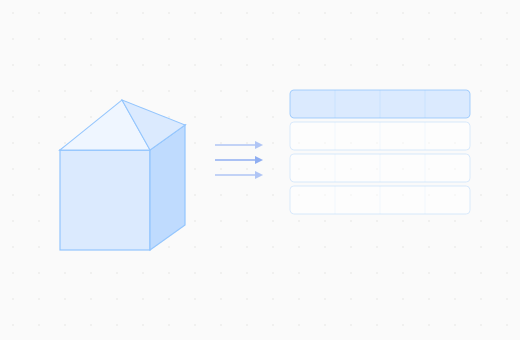
Our pipeline starts from discipline-specific GLBs, keeps the model federated in the browser, and then shapes the scene for interaction: batching small meshes, preserving useful instancing, building edges off the main thread, and keeping selection tied back to BIM elements.
The shape
The viewer has to serve two very different jobs at once. It needs to feel like a normal web app, with filters, panels, selections, links, and project context, while also behaving like a real-time graphics system. Those two worlds do not tolerate the same failure modes. A missed UI update is annoying. A leaked geometry buffer or a render loop that waits on React state can make a large model unusable.
The split keeps responsibilities honest:
- Rendering state stays close to the renderer. Scene graph objects, buffers, materials, loaders, pick metadata, and disposal rules live in the graphics layer. They are not mirrored into UI state.
- Product actions become explicit renderer actions. Choosing a model version, highlighting changed objects, hiding elements, and opening a clash are handled deliberately, not as incidental component effects.
- The UI observes outcomes, not implementation details. React owns panels and navigation. The viewer owns frame timing, memory ownership, and object identity.
That boundary is what makes the rest of the optimizations safe to ship. Dense BIM scenes make small ownership mistakes visible quickly: a leaked buffer, stale selection map, or render loop coupled to UI state can turn into a user-facing stall.
The scenes we tune against are intentionally uneven: heavy plumbing areas, mixed-discipline federations, dense instancing, and clash pairs with very different triangle budgets. The point is to work from the cases that make a browser viewer feel brittle, then make the common path fast without hiding the edge cases.
The key lesson is that the viewer has to shape the workload before Three.js ever gets a chance to render it.
Mesh batching
Browser 3D performance is dominated by per-object overhead: draw calls, state changes, and traversal cost. A federated MEP model with 200K small pipe segments will spend most of its frame time in CPU bookkeeping, not in the GPU. Batching collapses many small meshes into a few large ones, while keeping enough metadata to map a click back to the original BIM element.
The current production policy uses a 20,000-vertex cap per batch, keeps 32-bit index support enabled for large merged geometries, and lets smaller meshes flow into the batcher instead of staying as standalone draws. The mesh-count cap stays at 128 per batch.
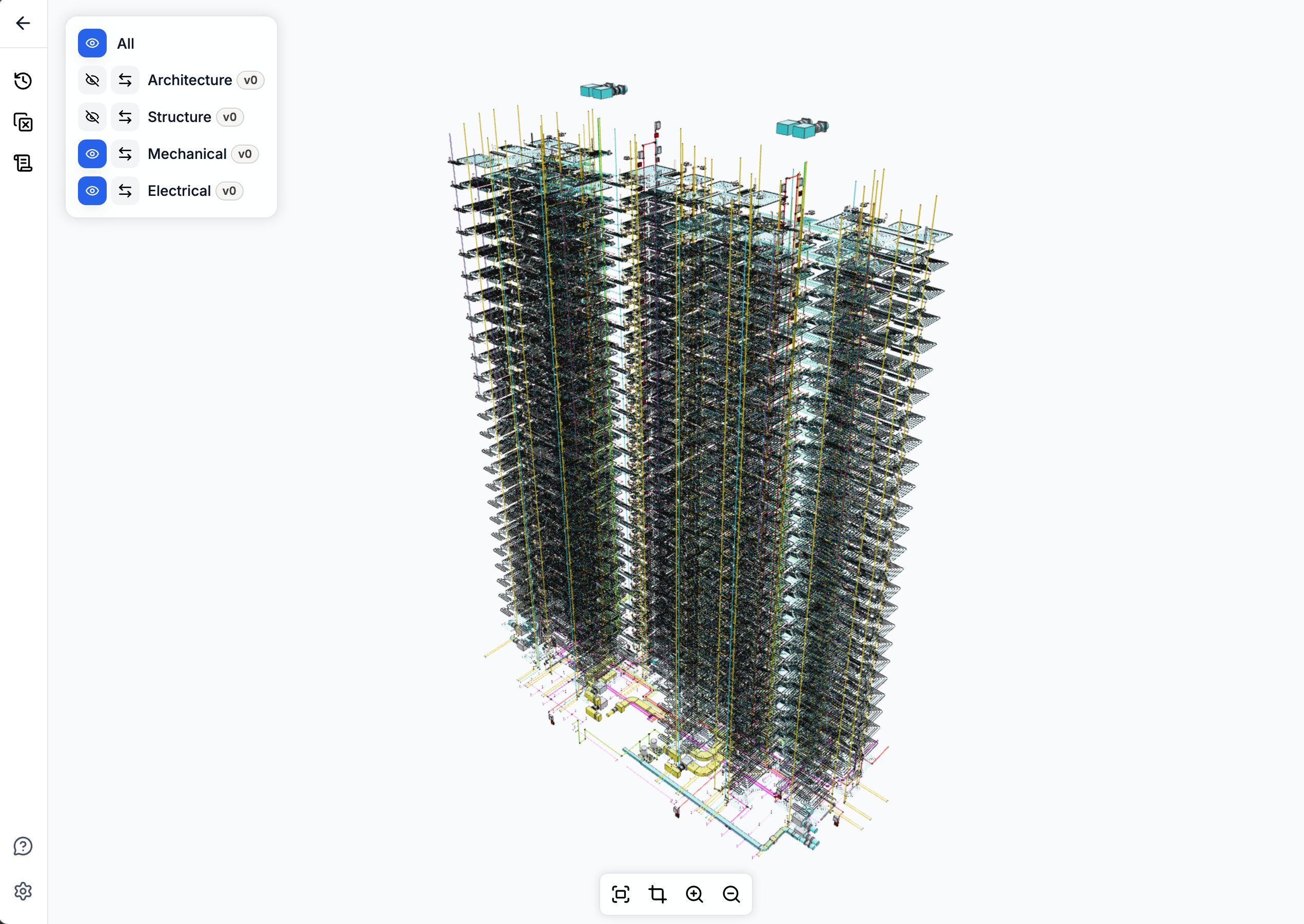
On the 1-million-object scene shown above, the full viewer pipeline brings the effective drawable object count down to about 15,000. The important part is not the exact number, but the pattern: once enough small geometry flows through batching, CPU-side object overhead stops dominating the frame.
Spatial batching remains available for scenes where culling matters more than total batch coverage. It divides the scene into grid cells and batches within each cell, so frustum culling still has bite. For the dense scenes we tested, the aggressive non-spatial policy won the comparison.
The practical lesson is that a viewer can have batching and still leave most of the performance win on the table. Coverage diagnostics, meaning what fraction of objects actually flows through the batcher, are more useful than feature checklists.
Instancing where it actually helps
Instancing is one of the reasons BIM can be rendered in a browser at all. Doors, windows, duct fittings, brackets, and many other components repeat across a building. When those copies share one geometry buffer, the viewer avoids storing and drawing the same shape hundreds or thousands of times.
Revit GLBs arrive with InstancedMesh objects throughout the scene, and the viewer keeps the ones that actually amortize well: large groups of identical geometry, or heavier geometry where expansion would create too much memory pressure. Small instance groups are different. A group of three or four copies still pays the instancing overhead, but it cannot be merged into the CPU batcher. In those cases, expanding the copies back into regular meshes makes them eligible for batching and often reduces total render overhead.
The policy is deliberately budgeted:
- Groups with three or fewer copies are always expanded. Their members can then participate in batching like any other mesh.
- The threshold rises to ten when the scene has many small instanced groups, because at that point expansion becomes a bigger lever.
- Per-group geometry is capped at 20,000 vertices. Anything heavier stays instanced regardless of group size.
- Per-scene budget: at most 8,000 instances total, and at most 25% of the scene's instances, can be expanded. The rest stay as
InstancedMesh.
Without that budget, a model with thousands of small instanced groups would expand into tens of thousands of standalone meshes, exactly the situation batching is supposed to prevent.
The kept-instanced path then has its own requirements. Each copy keeps the BIM element ID needed for selection, even though the geometry is shared.
Edges need the same treatment. If every instance built its own edge lines, the edge layer would erase much of the memory and draw-call benefit of instancing. The viewer instead uses an instanced-edge path: one edge geometry is reused across many copies through a small shader, with a hard cap of 4,000 instances per edge mesh to avoid worst-case draw-call explosions.
Edges in a worker pool
Geometry edges are what make a dense BIM scene readable. Without them, walls, pipes, slabs, and equipment quickly collapse into an abstract gray blob. But computing edges eagerly during model load adds seconds to first-paint on dense scenes.
The viewer schedules edge extraction after model load, in a Web Worker pool:
- One worker processes a whole batch of meshes per message, so IPC overhead is paid once per batch, not once per mesh.
- Typed arrays are transferred via
Transferable, not copied. - Edges are cached per mesh; subsequent rebuilds (after a hide/reset) reuse cached results.
Edge cleanup ownership needs the same care as edge generation. After a hide-then-reset cycle, an edge layer can lose track of which cleanup function owns which root, and a stale cleanup can remove edges that a later attach just installed. The durable rule is to clear old cleanup ownership before attaching new incremental edges, not after.
Fast picking, carefully
Picking is what turns a click on the canvas back into a BIM element: the wall, pipe, window, or clash object the user actually meant to inspect. On a large federated scene, doing that with raw raycasts does not scale. The viewer accelerates picking with three-mesh-bvh, which builds a spatial index for each visible mesh so a click does not have to test every triangle one by one.
Two cases need extra care:
- Merged batches. A batched mesh contains many BIM elements' triangles concatenated together. The spatial index must preserve the triangle order, because selection depends on mapping the clicked triangle back to the right element. A naive optimization that reorders triangles silently breaks selection.
- Instanced meshes.
acceleratedRaycastdoesn't handle instanced meshes natively. The viewer tests each copy's transform against a reused scratch mesh, then attaches the copy index back onto the result. Treating anInstancedMeshas a plain mesh in the accelerated path returns the wrong object every time.
A pointer drag gate sits in front of the picker with a 5-pixel threshold. Click-vs-drag is decided before the raycast runs. On a model where every pointer-up triggered a full picking pass, this single gate cut interaction latency noticeably during orbit.
Render loop
The render loop is less visible than batching or instancing, but it controls whether orbiting feels direct. In SiloLink, camera controls stay responsive independently from whether a frame needs to be drawn.
The important constraint is that interaction should not change what the user sees. Apart from normal Three.js frustum culling, which skips objects outside the camera view, SiloLink does not hide geometry, drop edges, simplify materials, or lower resolution while the user is orbiting. Visual fidelity during motion matches visual fidelity after motion; it just has to remain responsive.
On the same dense federated scene, the viewer stays around 24 FPS while orbiting with those visual settings intact.
The loop follows a few rules:
- A continuous
requestAnimationFrameloop runs at all times. - Camera-controls update is called every frame, unconditionally.
- A render only happens when controls report movement, the scene has changed, or a queued viewer update needs a frame.
- Device pixel ratio is capped at 1.5× as a baseline, not lowered during orbit.
- Geometry edges stay on during orbit. We do not remove them to make camera movement look faster.
The rule is simple: interaction stays on the most reliable path, even when rendering work is being skipped.
Async safety
The viewer is full of async work: GLB fetches, change manifests, removed-object overlays, clash geometry jobs. The user changes context constantly by selecting a different version, opening a different clash group, or switching projects. If a task simply starts, waits for a promise, and writes the result, it can easily commit stale data after the user has moved on.
Every async path that mutates engine state in this viewer carries a token: a load token, a job ID, a request ID. The completion handler checks the token against the current live token before doing anything. If they don't match, the result is discarded. That is what keeps the model lookup, URL fetch, GLB load, batching, and spatial-index build pipeline safe when a user toggles model visibility while it is running.
Exact clash geometry
Clash visualization is the most expensive thing the viewer does. For a single clash pair, the engine builds overlay geometry, extracts edges, rebuilds plain triangles for boolean intersection work, generates normals, runs the exact geometry intersection, and extracts intersection edges. On well-behaved geometry this is fast. On a pathologically over-tessellated mesh, it can stall the main thread for seconds.
The clash overlay path carries layered defenses:
- A 200-entry recent-result cache keyed on the two BIM element IDs and overlay mode, so repeated clicks on the same clash never recompute.
- A 1,000-entry no-intersection cache, so once a pair has been confirmed non-intersecting it's never tested again.
- Job IDs that abort stale work when the user moves on before the current job finishes.
This is enough for almost all production use, but not for every clash. The remaining cost sits upstream of the exact intersection itself: triangle-budget guards exist, but they are applied at the final intersection call, not at the overlay-build and edge-extraction work that runs before it. The next step is to budget those upstream stages too, so degradation stays predictable instead of cliff-shaped.
What this unlocks
These choices add up to more than frame rate. They make it possible to keep a full federated model, object-level selection, change highlights, and clash context in one browser workflow instead of splitting review across separate tools or pre-baked views.
The next refinements are clear: earlier budgeting for expensive clash geometry, better spatial-batching policy for very dense federations, and simpler ownership for edge cleanup. The core shape is stable.
For the upstream tooling that feeds this viewer, see IFC2StructuredData, the open-source IFC-to-CSV/OBJ flattener that produces the GLBs we render here. For how SiloLink detects object-level changes between BIM versions, see BIMdiff and the geometry-equivalence work in Geometry Equivalence for BIM Objects. We also learned from the broader open-source BIM viewer ecosystem, including Speckle and That Open Engine Components.